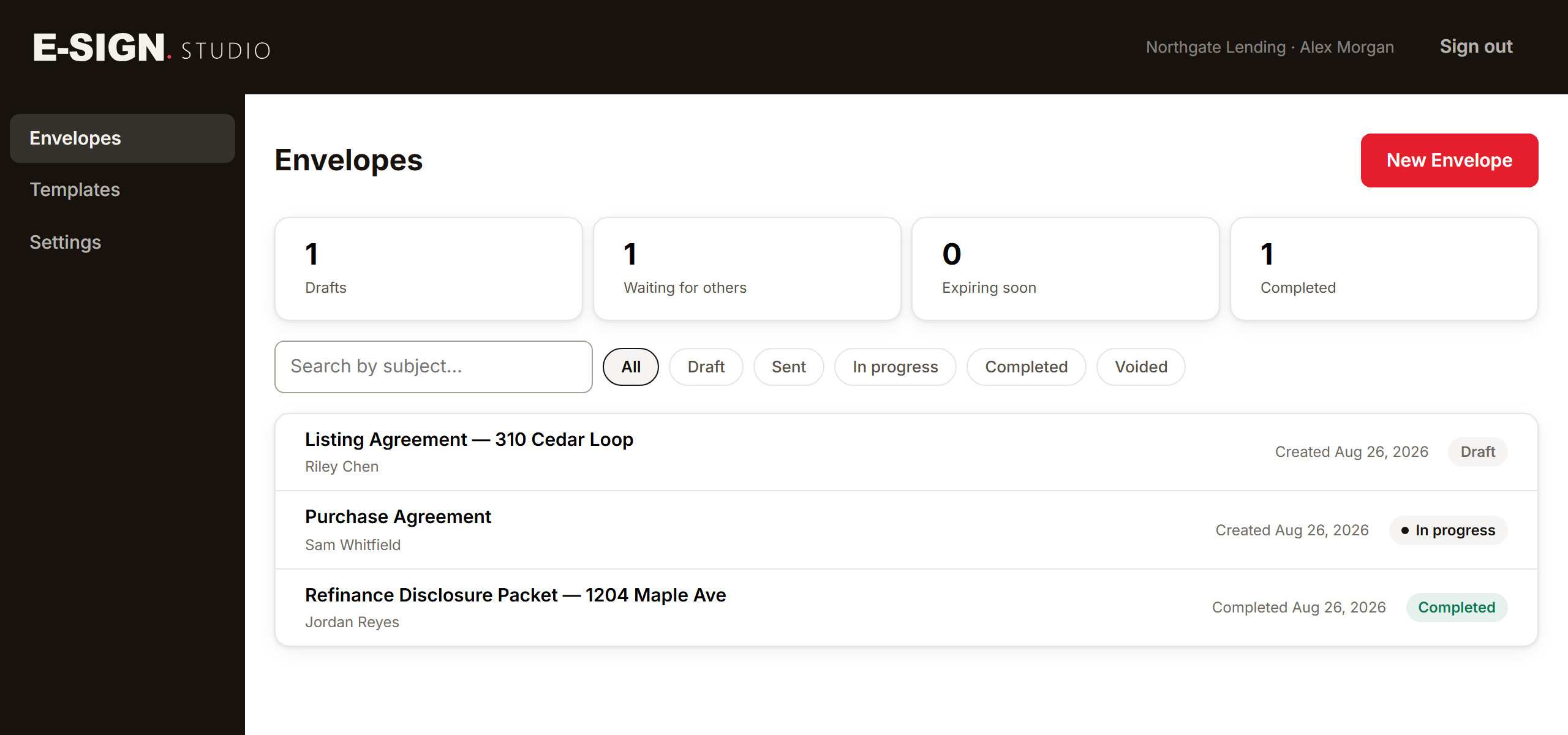
Three steps. The third one happens without you.
01
Send it
Upload the PDF, drop the fields where they belong, and name the people who have to sign. Each recipient gets their own single-use link.
02
They sign it
Your signer opens the link on a phone or a laptop, agrees to sign electronically, adopts a signature and finishes. They can decline, and that is recorded too.
03
It comes back sealed
When the last signer finishes, every document is flattened and cryptographically sealed, and a certificate of completion is written from the audit trail.
You build it here. They sign it there.
And “there” is a borrowed phone in a car park with one bar of signal. That is the half of this product that has to be perfect, so it is the half we spent the time on.
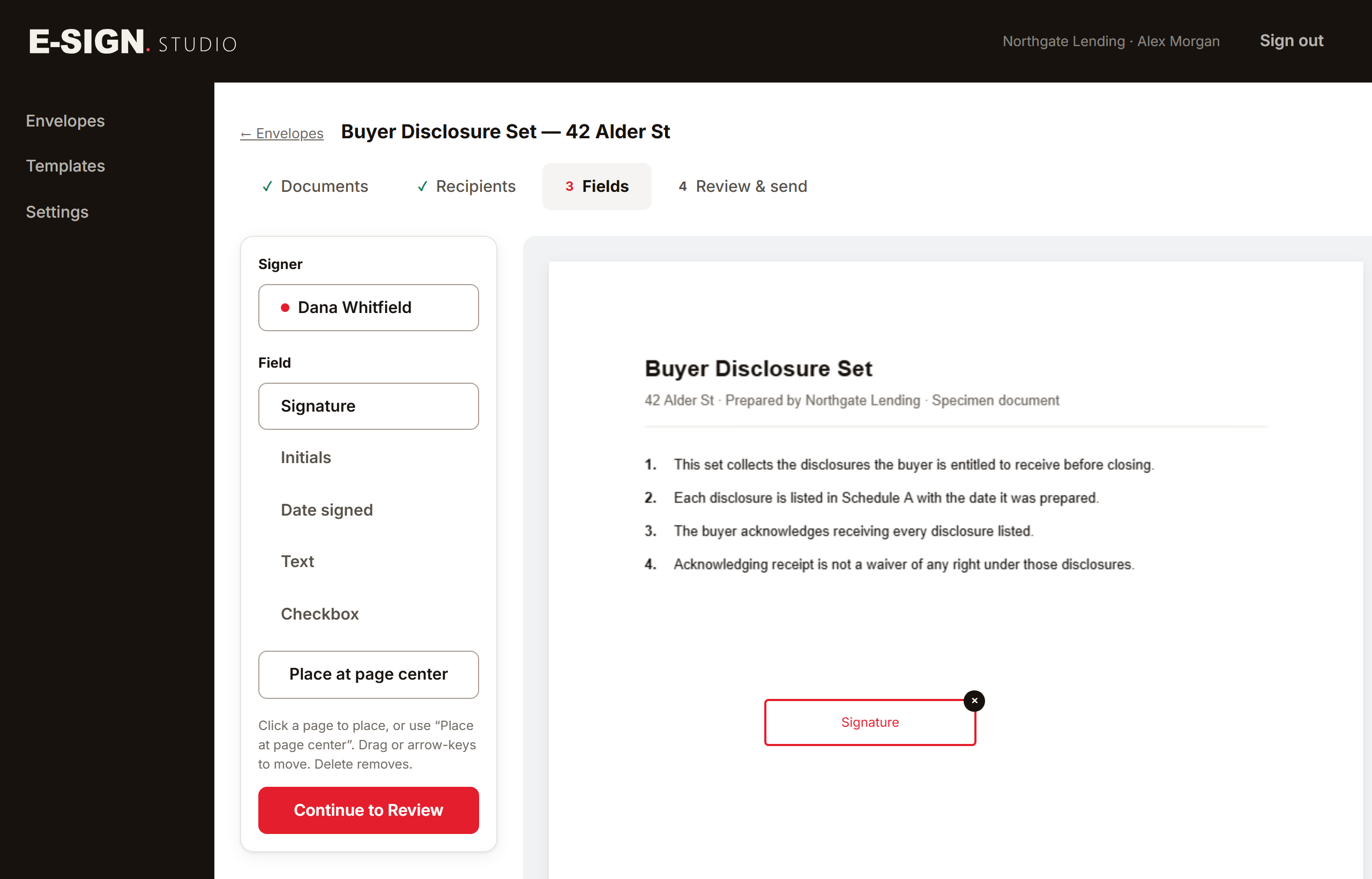
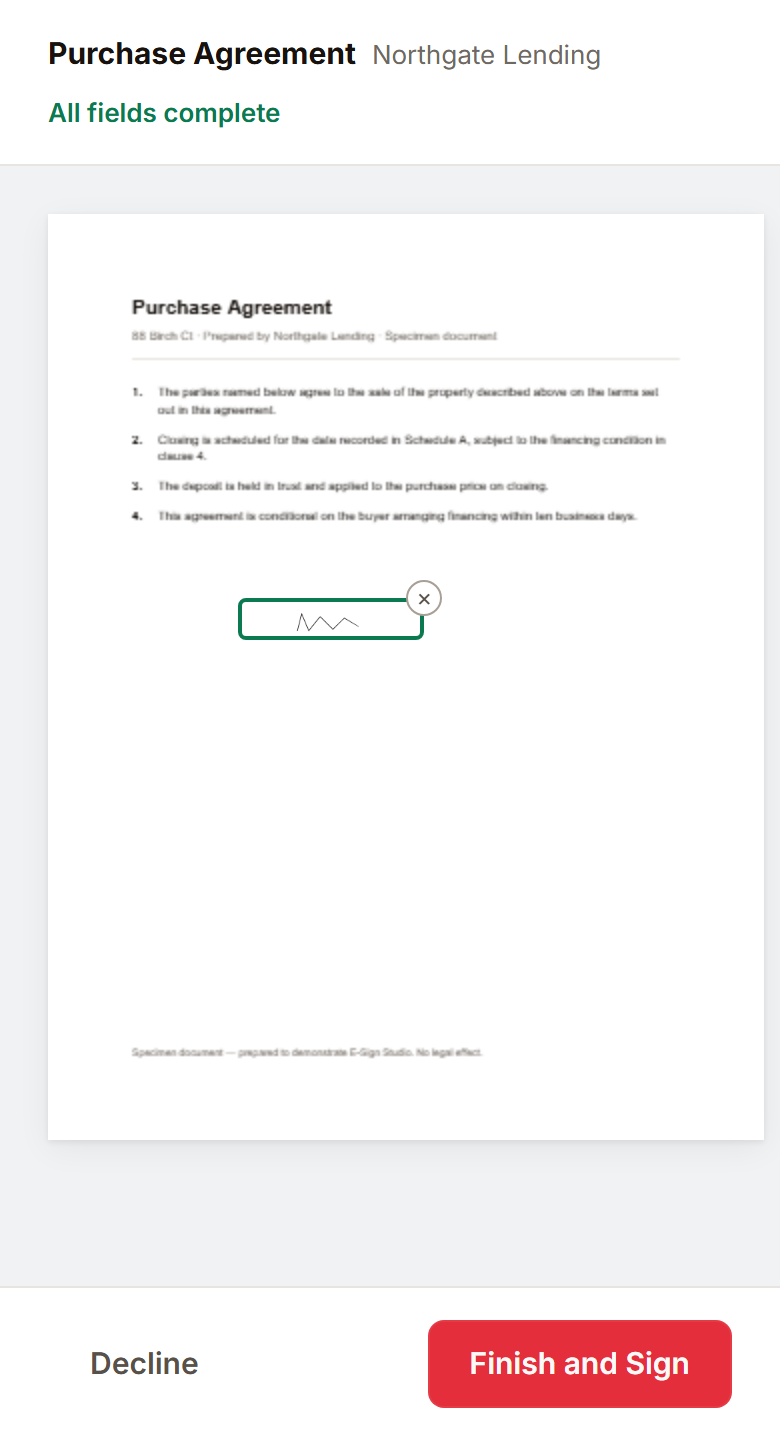
The signer’s side
A link, a consent screen, the document, and the fields that belong to them — in that order, on whatever they happen to be holding. No download, no password, and no account to create before they can start.
Their link is spent by their own tap, not by the mail scanner that opened the message before they did.
The record is the product.
Collecting a signature is a solved problem. What you can show, months later, when someone asks whether that signature is real — that is the part we built first.
A tamper-evident seal
Every completed document, and the certificate itself, is cryptographically sealed (CMS/PKCS#7). Change one byte afterwards and verification fails. We test that by breaking a sealed file on purpose and confirming it no longer verifies.
A certificate of completion
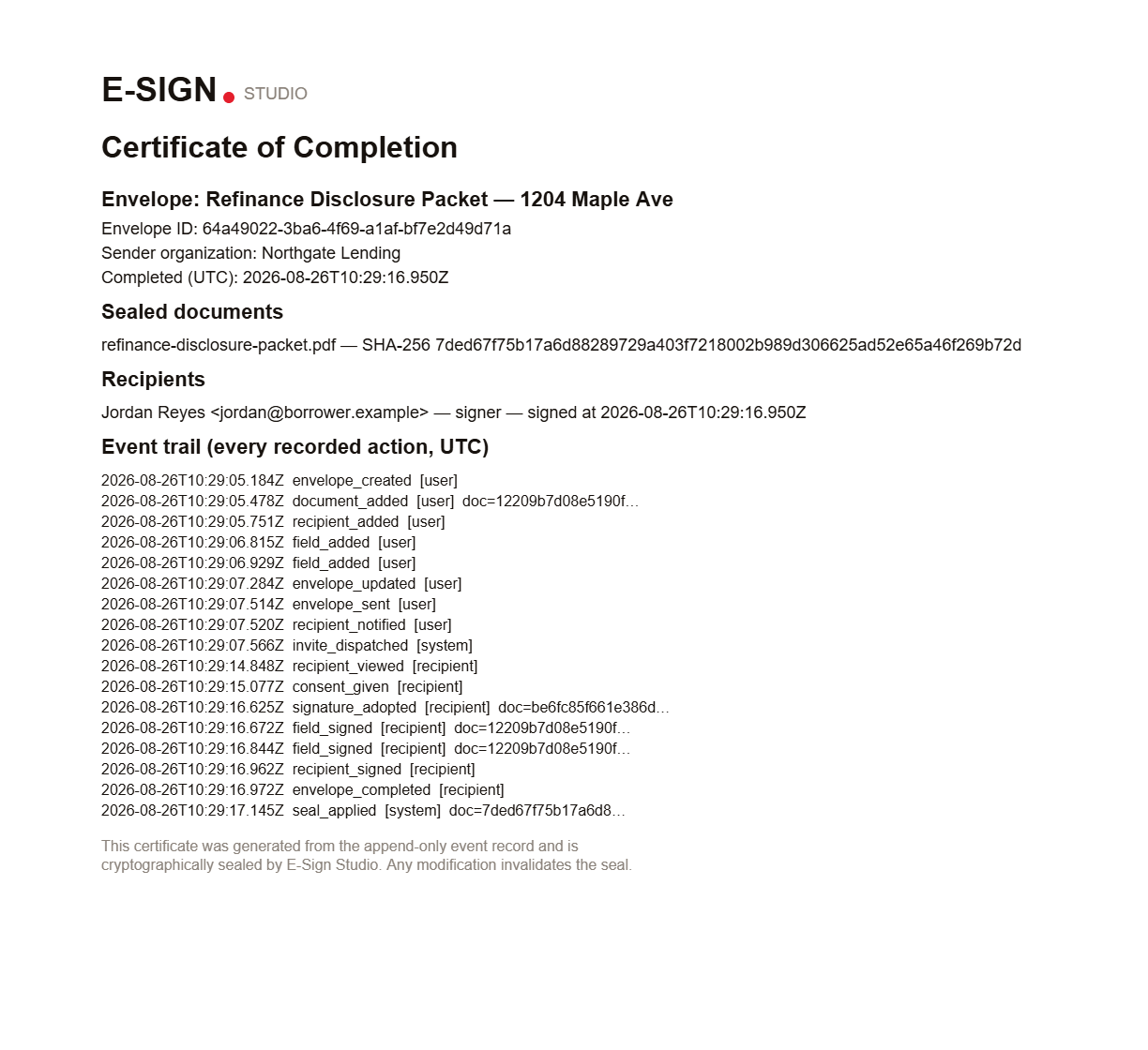
A sealed record naming every signer, every timestamp and the SHA-256 of every document. It is rendered from the audit trail after the documents are sealed, so it covers the sealing too — the certificate is evidence about itself.
An append-only trail
Consent, opens, adoptions, signatures, completion — each written as its own row, in the same transaction as the change it records. The database refuses updates and deletes on that table. Not by policy; by trigger.
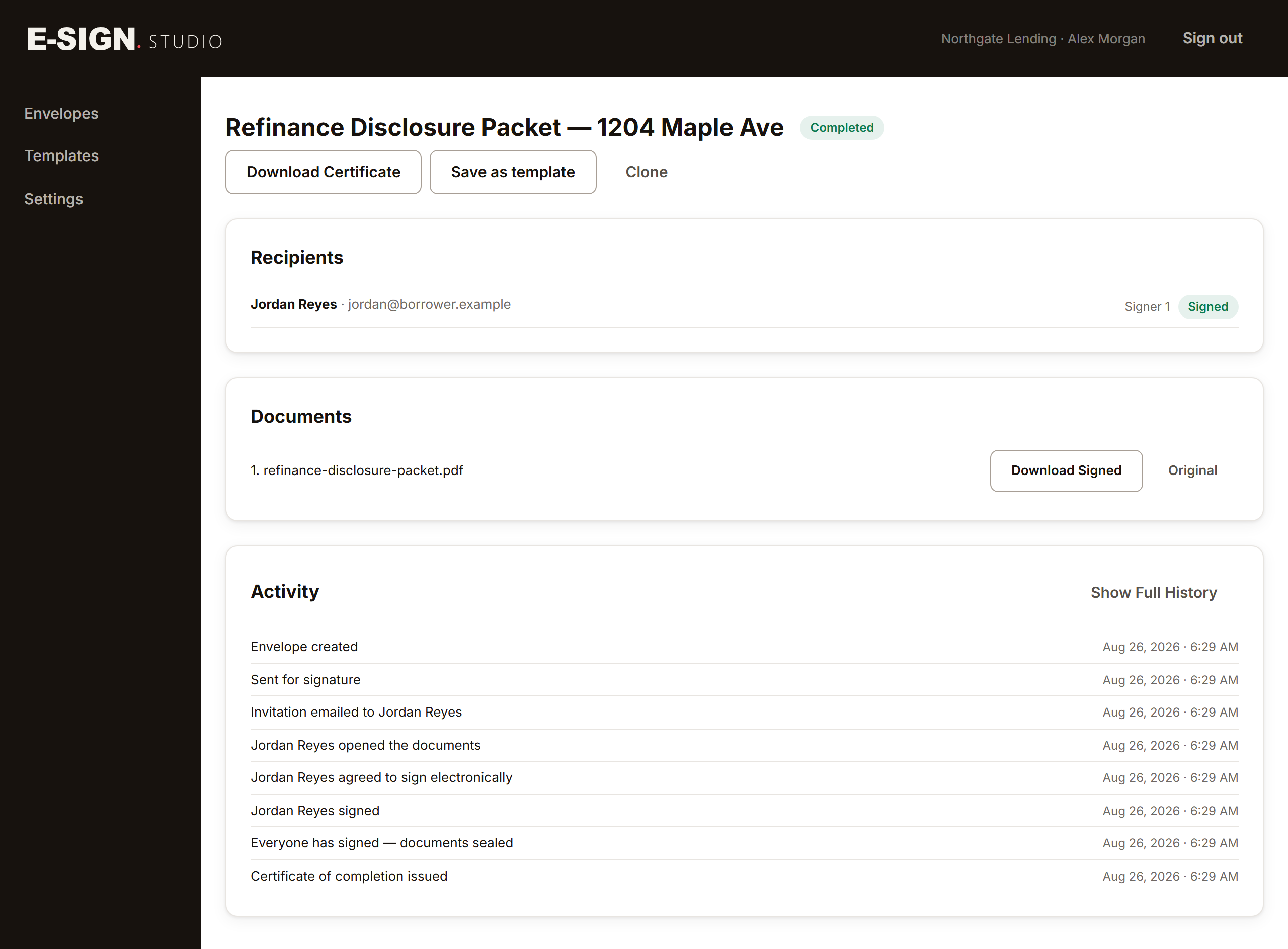
What you can hand over later
The certificate is generated for you, not on request. It names the envelope, the workspace that sent it, each recipient and the exact moment each one acted, and it lists the SHA-256 of every sealed document so a copy can be checked against it years later.
It is written from the event ledger alone. Nothing in the product can compose a certificate that the record does not already support.
What we don’t claim. No Adobe-recognised trust mark: our seals are cryptographically valid and verify against our own tooling, but until we buy into Adobe’s trust list, Adobe Reader will show the signer as an unknown identity. No eIDAS or EU qualified-signature claims — E-Sign Studio is built for the United States, where ESIGN and the state electronic-records acts govern. And no identity proofing beyond control of the address the link was sent to: attribution rests on that single-use link and on the record above it.
For teams, and for products that need this inside them.
For teams
Invite the people who send. Admins run the workspace and its settings, Senders send envelopes, and Signer is the read-only seat: it sees the record and changes nothing. The last admin cannot be removed or demoted, and that guard runs inside a locked transaction — so two people clicking at the same moment cannot leave a workspace with nobody in charge of it.
Upload your logo and pick your colour, and both go on the band above the signing page, so the name your recipient sees is yours rather than ours.
For platforms
A REST API and signed webhooks. Create an envelope, send it, read its status, pull back the sealed document and its certificate, and receive an HMAC-signed callback when it completes — with retries, a dead-letter queue and replay for the day your endpoint has a bad day.
API access is on request. There is no documentation site yet, so we set it up with you.
Send one and see.
Create a workspace, upload a PDF and send it to yourself — or switch the envelope to test mode and run the whole loop without emailing anyone at all.